






A cart that fits your storefront
Use the existing Shopiframe Cart as an overlay or a dedicated page in Framer. Adapt its layout, typography, spacing, and empty state to the rest of your storefront. The cart components share one live cart across the site, rather than separate carts on individual pages.
Review before checkout
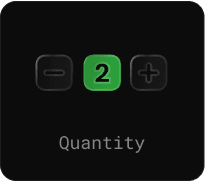
Show the selected products with images, titles, variant labels, prices, quantity controls, and a remove action. Pair the list with a cart counter and subtotal so shoppers can review their choices. The subtotal updates with cart changes and is shown before shipping and taxes.
SCREENSHOT NEEDED
Add a close-up of a populated cart showing quantity controls, Remove, and an updated subtotal.

Let Shopify handle checkout
The Checkout Button redirects shoppers to the Shopify checkout URL for the current cart. Payment happens there, not inside your Framer page. Available payment methods, taxes, shipping, and checkout configuration depend on the merchant’s Shopify setup; the storefront design does not replace those settings.
SET UP YOUR WORKFLOW
From setup to storefront
Add a product

Connect a product’s Add to Cart action to your cart experience. It adds the selected variant and quantity to the shared Shopiframe cart.
Review the cart
Let shoppers adjust quantities or remove items before continuing. Check the empty state and subtotal alongside the populated cart in Framer Preview.
Continue to Shopify Checkout
Use the Checkout Button for the handoff. It is disabled when the cart is empty or a live checkout URL is unavailable.
QUICK ANSWERS
A few things to know
Where does payment happen?
Payment happens in Shopify-hosted checkout. Shopiframe sends the shopper from the Framer storefront to the current cart’s Shopify checkout URL; it does not embed checkout inside Framer.